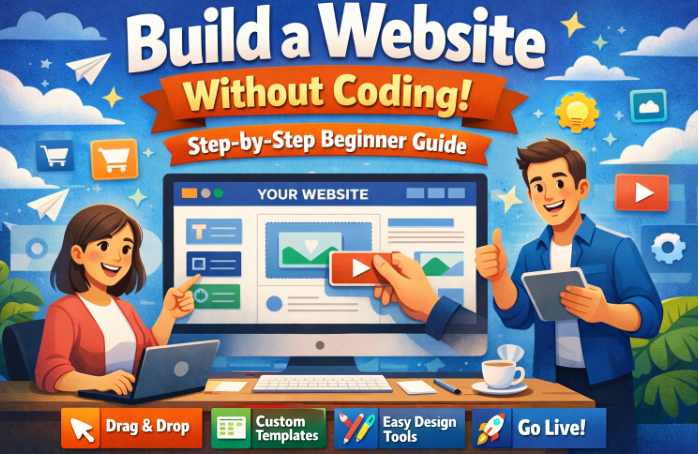
Build a Website Without Coding: In the past, creating a website required strong technical skills. You needed to understand programming languages such as HTML, CSS, JavaScript, and sometimes server-side languages like PHP or Python. For many beginners, this made website development complicated, expensive, and time-consuming.
Today, things have changed dramatically. Modern website builders and content management systems allow anyone to build a website without coding. Whether you want to start a blog, launch an online business, promote your services, or create a portfolio, you can now design and publish a professional website using simple drag-and-drop tools.
These platforms handle the technical work behind the scenes, including hosting integration, templates, responsive design, and security features. As a result, beginners can focus on creating content, building their brand, and growing their audience instead of worrying about programming.
Another major advantage is cost efficiency. Hiring a professional developer to build a website can cost hundreds or even thousands of dollars. By learning how to build a website without coding, you can save money while still creating a high-quality and fully functional site.
In this detailed beginner guide, you will learn the complete step-by-step process to build a website without coding. The guide will cover choosing a platform, registering a domain name, selecting hosting, designing your site, adding content, optimizing for SEO, and launching your website successfully.
By the end of this guide, you will have the knowledge and confidence needed to create a professional website even if you have zero coding experience.
ALSO READ: Best WordPress SEO Plugins for Higher Google Rankings
Why You Should Build a Website Without Coding
Before diving into the steps, it is important to understand why many beginners and businesses now choose to build a website without coding instead of hiring developers.
1. Faster Website Development
Traditional website development can take weeks or months. When you use modern website builders, you can create a website in just a few hours.
Drag-and-drop editors allow you to add elements like text, images, videos, and forms instantly.
2. Lower Cost
Hiring web developers can be expensive. When you build a website without coding, your main expenses are usually:
- Domain name
- Web hosting
- Premium themes or plugins (optional)
This makes website creation affordable for beginners and small businesses.
3. No Technical Skills Required
Website builders are designed for non-technical users. You do not need to learn programming languages.
Everything is managed through visual editors and simple settings panels.
4. Easy Website Management
Updating your website becomes simple. You can:
- Publish blog posts
- Upload images
- Change layouts
- Install plugins
All without touching any code.
5. Perfect for Beginners and Entrepreneurs
People who benefit the most include:
- Bloggers
- Small business owners
- Freelancers
- Online store owners
- Content creators
- Affiliate marketers
Learning how to build a website without coding opens many opportunities online.
Best Platforms to Build a Website Without Coding
Choosing the right platform is the first and most important step.
Several tools allow you to build a website without coding, but each has different strengths.
1. WordPress (Most Popular Option)
WordPress powers over 40% of websites on the internet.
With themes and plugins, you can create almost any type of website.
Advantages include:
- Highly customizable
- Thousands of free themes
- Powerful SEO features
- Large plugin ecosystem
- Scalable for large websites
Using page builders like Elementor or Gutenberg makes WordPress beginner-friendly.
2. Wix
Wix is one of the easiest website builders available.
Features include:
- Drag-and-drop design
- Pre-built templates
- Built-in hosting
- Integrated SEO tools
Wix is ideal for beginners who want a simple setup.
3. Squarespace
Squarespace focuses on professional design.
It is popular among:
- Photographers
- Designers
- Artists
- Portfolio creators
Its templates are modern and visually appealing.
4. Shopify
Shopify is designed specifically for eCommerce.
If your goal is to sell products online, Shopify allows you to build a website without coding while managing:
- Products
- Orders
- Payments
- Shipping
5. Webflow
Webflow provides more advanced design control while still allowing no-code development.
It is great for users who want flexibility without programming.
Step-by-Step Guide to Build a Website Without Coding
Now let us go through the full process step by step.
Step 1: Choose the Purpose of Your Website
Before you start building, you must clearly define the purpose of your website.
Ask yourself these questions:
- Are you creating a blog?
- Do you want to sell products?
- Are you promoting a business?
- Do you want to create a personal portfolio?
Different goals require different website structures.
Examples:
Blogging Website
You will need:
- Blog posts
- Categories
- SEO optimization
- Comment section
Business Website
You will need:
- Home page
- About page
- Services page
- Contact page
eCommerce Website
You will need:
- Product pages
- Shopping cart
- Payment system
- Order management
Knowing your goal helps you design the right website structure.
Step 2: Register a Domain Name
Your domain name is the address people type to visit your website.
Examples include:
- yourwebsite.com
- yourbrand.com
- yourblog.net
A good domain name should be:
- Short
- Easy to remember
- Easy to spell
- Brandable
Tips for Choosing a Good Domain Name
- Use simple words.
- Avoid numbers and hyphens.
- Use relevant keywords if possible.
- Choose a popular extension like .com.
Your domain represents your brand online, so choose carefully.
Step 3: Get Web Hosting
Web hosting is where your website files are stored.
When someone visits your website, the hosting server delivers the pages to their browser.
To build a website without coding, you need reliable hosting that supports easy installation tools.
Features to Look for in Web Hosting
- Fast loading speed
- High uptime
- Strong security
- Easy WordPress installation
- Customer support
Some hosting providers also offer one-click website installations, which makes the process very easy for beginners.
Step 4: Install a Website Builder
Once your domain and hosting are ready, the next step is installing your website platform.
If you choose WordPress, most hosting companies provide one-click installation.
The installation process usually takes only a few minutes.
After installation, you can access your dashboard and start designing your website.
This is the stage where beginners truly experience how easy it is to build a website without coding.
READ ALSO: Best Cashback Credit Cards 2026: Highest Cashback Offers
Step 5: Choose a Professional Website Theme
A theme controls the design and layout of your website.
Themes determine:
- Color schemes
- Typography
- Page layouts
- Navigation structure
Thousands of free and premium themes are available.
What to Look for in a Good Theme
- Mobile responsive design
- Fast loading speed
- SEO friendly structure
- Regular updates
- Good user reviews
Choosing the right theme saves time during the design process.
Step 6: Customize Your Website Design
After installing a theme, you can begin customizing your website.
Most website builders provide drag-and-drop editors.
This allows you to easily add or move elements such as:
- Text sections
- Images
- Buttons
- Videos
- Forms
Important Pages to Create
Every professional website should include these pages:
Home Page
The homepage introduces your website and explains what visitors will find.
About Page
This page tells visitors about your brand, mission, or personal story.
Contact Page
Visitors should be able to reach you easily through a contact form or email address.
Blog Page
If you plan to publish articles, your blog page will list all your posts.
When you build a website without coding, these pages can be created in minutes.
Step 7: Install Essential Plugins
Plugins add new features to your website.
If you use WordPress, plugins allow you to extend functionality without coding.
Essential Plugins for Beginners
SEO Plugin
Helps optimize your content for search engines.
Security Plugin
Protects your website from hackers and malware.
Cache Plugin
Improves loading speed.
Backup Plugin
Creates backups of your website.
Contact Form Plugin
Allows visitors to send messages through forms.
Plugins make it easier to build a website without coding while still adding powerful features.
Step 8: Create High-Quality Content
Content is the most important part of any website.
Your content determines whether visitors stay on your site or leave quickly.
Types of Content You Should Create
- Blog posts
- Tutorials
- Guides
- Product reviews
- Case studies
- Videos
- Images
When writing blog posts, focus on:
- Providing helpful information
- Solving problems
- Answering common questions
High-quality content also improves your search engine rankings.
Step 9: Optimize Your Website for SEO
Search Engine Optimization (SEO) helps your website appear in search results.
If you want traffic from search engines, SEO is essential.
When you build a website without coding, SEO plugins make optimization easier.
Important SEO Strategies
Keyword Optimization
Use your main keyword naturally throughout the article.
For example, this guide targets the keyword Build a Website Without Coding.
Meta Title and Description
Write attractive titles and descriptions to improve click-through rates.
Internal Linking
Link to other relevant pages on your website.
Mobile Optimization
Most visitors browse websites using smartphones.
Ensure your website works perfectly on mobile devices.
Website Speed
Fast loading pages improve user experience and search rankings.
Step 10: Add Social Media Integration
Social media can help drive traffic to your website.
You should connect your website with your social platforms.
Ways to Integrate Social Media
- Add social share buttons
- Display social media icons
- Enable automatic post sharing
- Embed social feeds
This allows your blog posts to be shared automatically once published.
Step 11: Test Your Website
Before launching your website, you must test everything.
Check the following:
- All pages load correctly
- Links work properly
- Forms send messages successfully
- Mobile design looks good
- Images display correctly
Testing ensures your website provides a smooth user experience.
Step 12: Launch Your Website
Once everything is ready, you can launch your website.
Make your site public so visitors can access it.
After launching, focus on:
- Publishing new content regularly
- Promoting your website
- Monitoring performance
- Improving SEO
Launching is just the beginning of your online journey.
Common Mistakes When Trying to Build a Website Without Coding
Even though modern tools make website creation easy, beginners sometimes make mistakes.
1. Choosing the Wrong Platform
Some platforms limit customization or SEO features.
Always choose a platform that supports long-term growth.
2. Ignoring SEO
Without SEO optimization, your website may struggle to get traffic.
3. Using Too Many Plugins
Too many plugins can slow down your website.
Install only essential plugins.
4. Poor Website Structure
Visitors should easily navigate your site.
Organize pages clearly.
5. Slow Website Speed
Large images and poor hosting can slow down your website.
Always optimize performance.
Advanced Tips to Build a Website Without Coding Successfully
Once your website is running, you can improve it further.
Improve Website Speed
Use techniques such as:
- Image compression
- Caching
- Content delivery networks
Focus on User Experience
A good user experience increases engagement.
Ensure:
- Clear navigation
- Fast loading pages
- Mobile friendly design
Publish Consistent Content
Search engines reward websites that publish regularly.
Create a content schedule and stick to it.
Build Backlinks
Backlinks from other websites increase authority and improve rankings.
Monitor Website Analytics
Use analytics tools to track:
- Traffic sources
- User behavior
- Popular pages
These insights help you improve your website strategy.
Conclusion
Learning how to build a website without coding has never been easier. Modern website builders and content management systems allow beginners to create professional websites quickly and affordably.
By following the steps in this guide, you can go from having no website at all to launching a fully functional site. The process involves choosing the right platform, registering a domain name, selecting hosting, designing your site, creating content, optimizing for SEO, and promoting your website.
The key to long-term success is consistency. Continue improving your website, publishing valuable content, and engaging with your audience.
Whether your goal is blogging, online business, personal branding, or digital marketing, learning to build a website without coding gives you complete control over your online presence.
Start today, apply the strategies in this guide, and you will soon have a professional website that attracts visitors and grows over time.