
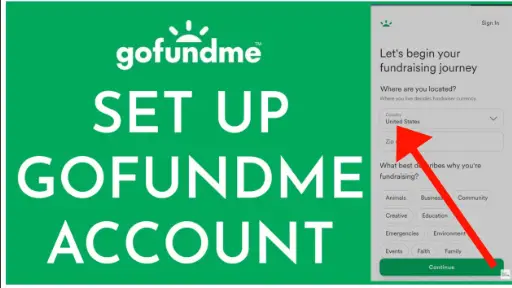
GoFundMe Account Creation: GoFundMe is a powerful tool for individuals, organizations, and communities looking to raise funds for a specific cause. Whether it’s for personal expenses, charitable initiatives, or a community project, GoFundMe has helped millions of people achieve their fundraising goals.
With its user-friendly interface and wide reach, it’s never been easier to start a campaign and reach potential donors from all over the world. .
This guide will provide you with the essential steps to create a successful GoFundMe campaign page, from setting up your account to reaching your fundraising goal.
ALSO READ: Google 2-Step Verification – Full Guides On How It Works
GoFundMe Account Creation and Campaign Page
Creating a GoFundMe account and campaign page is easy and straightforward.
- Start by visiting the GoFundMe website and clicking on the “Start a Campaign” button.
- Next, you’ll need to create an account by entering your email address and creating a password.
- Once your account is created, you can start building your campaign page by adding information about your cause, setting a goal, and uploading photos and videos to help tell your story.
- Be sure to also share your campaign with friends and family on social media to help spread the word and reach your fundraising goal.
Creating a GoFundMe Campaign
- To start Creating a GoFundMe Campaign, simply click on the “Sign Up Free” or “Sign Up” button in the upper right corner of the GoFundMe homepage.
- You can sign up using either your email address or by logging in with Facebook. The latter option is recommended as it gives you access to your Facebook photos later on in the process.
- Before entering any information, select the type of campaign you’d like to create.
- GoFundMe allows you to create personal fundraising pages, nonprofit pages, and all-or-nothing crowdfunding campaigns.
- If you opt for the all-or-nothing type, specify a fundraising duration and include reward tiers.
- If you choose to raise funds for a nonprofit or charity, select the organization from GoFundMe’s verified list or enter its US Tax ID.
Promote Your GoFundMe Campaign Page
Local Network
GoFundMe gives you a few different tools to promote your fundraising page to your local network.
- You can post the campaign on your Facebook.
- You could also post your page on Twitter.
Finally, you can invite email contacts to support your recent fundraising effort. It is highly recommended to take advantage of all these three promotion tools.
Outreach and Marketing
- GoFundMe also gives you tools to help with outreach beyond your local network.
- It is recommended to create a customized share link that is easy to remember so that you don’t need to keep going back to your page to reference your campaign’s URL.
- You can also print your campaign as a sign, which includes a QR code and the link to your campaign.
- It’s important that you make your title and image appealing so that people can get a quick understanding of what you are raising money for from the sign.
READ ALSO: Online Businesses You Can Start Today With Little or No Money
The GoFundMe App
The GoFundMe App is another tool that you can use to promote and manage your campaign. With the app, you can easily post photos, send thank-you notes, make changes to your page, and access customer support from your phone.
Fine-Tune Your Fundraising Page
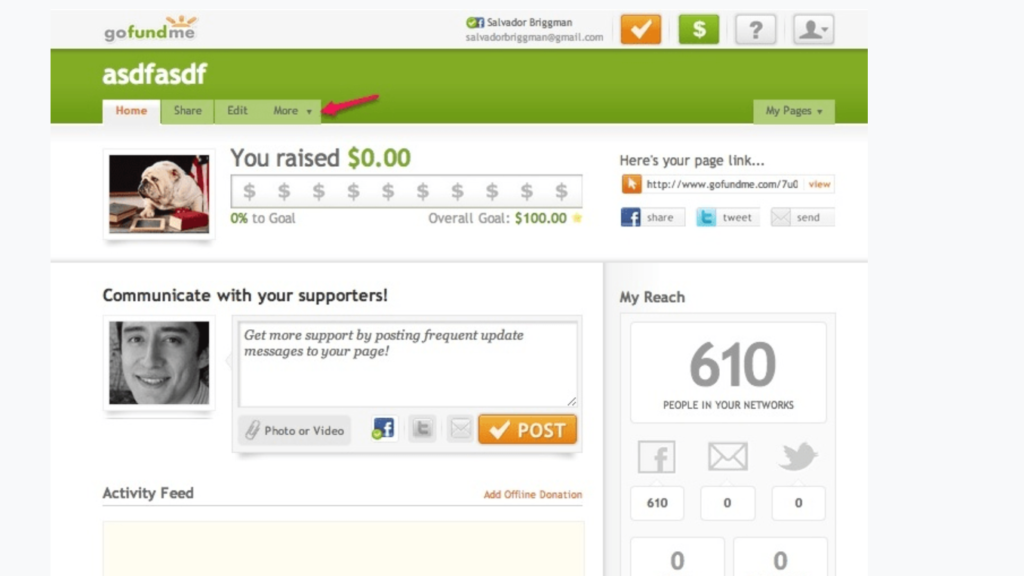
You can always make edits and changes to your campaign via the “edit” tab. I’ve included a snapshot below of what the dashboard looks like. From the dashboard, you can track your progress and also post campaign updates.
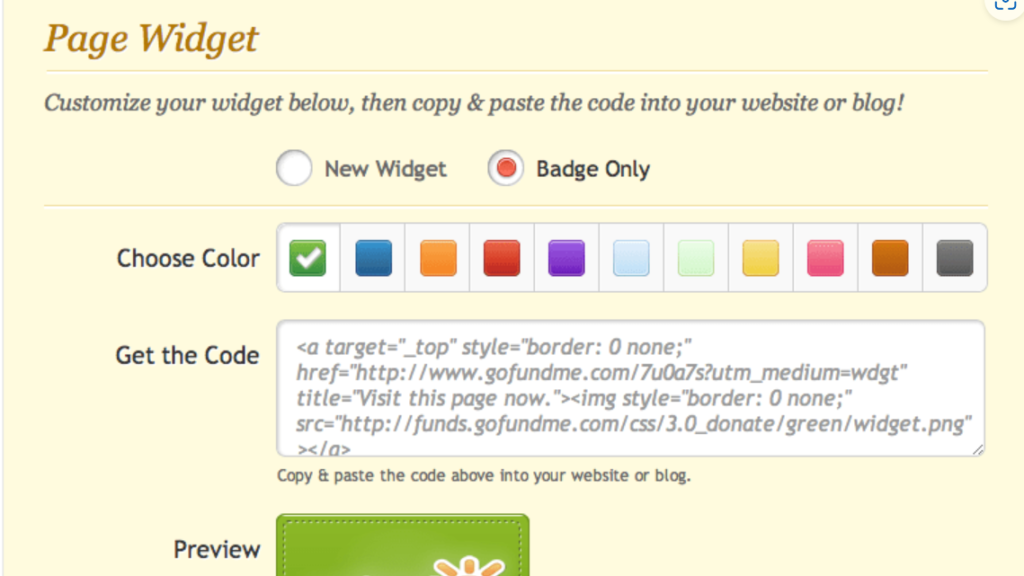
There are also a lot of options under the “more” tab that let you download badges for your campaign. Below, you can see some of the widgets you can download to include on your website or in your newsletter.
Finally, I think it’s important to note that you can allow GoFundMe to post to your Facebook daily under settings.

Pingback: PayPal Account Creation | See Full Guidelines - GISTWAVESMEDIA.COM
Pingback: Life Insurance Policy | All You Need To Know - GISTWAVESMEDIA.COM
Pingback: Google AdSense Account Creation Guide – Step-by-Step Approval Tutorial - GISTWAVESMEDIA.COM
Pingback: Verified PayPal Account: Complete Setup & Verification Guide - GISTWAVESMEDIA.COM