
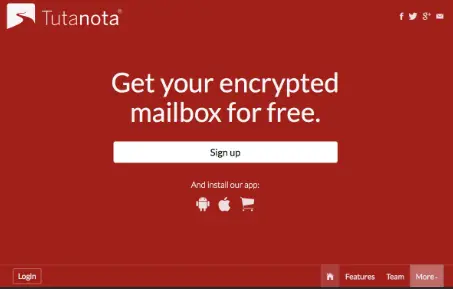
Tutanota Sign Up: In the digital era, email remains a critical tool for communication. Whether you’re managing personal correspondence, handling work communications, or securing sensitive information, having a reliable and secure email service is non-negotiable.
Tutanota has emerged as one of the leading encrypted email providers, prioritizing privacy without compromising usability. In this article, we’ll guide you through Tutanota sign up, explain its features, compare free and paid plans, and provide tips to maximize your email experience.
ALSO READ: Proton Mail Sign Up | Open A Free Email Account
What is Tutanota?
Tutanota is a German-based email service known for its strong focus on privacy and security. Unlike mainstream providers, Tutanota encrypts your entire mailbox, including emails, contacts, and calendar data. This ensures that even Tutanota itself cannot read your messages.
Founded in 2011, Tutanota has grown rapidly due to rising privacy concerns. Its open-source platform guarantees transparency, and its commitment to user privacy aligns with GDPR compliance. By offering a free email account, Tutanota makes secure communication accessible to everyone.
Why Choose Tutanota?
Choosing an email provider is a critical decision. Here’s why millions opt for Tutanota:
- End-to-End Encryption: Every email sent to another Tutanota user is automatically encrypted. Emails sent to external users can be encrypted with a password.
- No Ads: Tutanota is completely ad-free, even on the free plan.
- Open Source: The platform’s code is publicly accessible, ensuring transparency and trust.
- GDPR Compliant: Located in Germany, Tutanota adheres to strict data privacy laws.
- Custom Domains: Tutanota allows users to connect their own domains, making it ideal for businesses.
- Minimal Data Collection: Unlike traditional email services, Tutanota collects minimal personal data.
These features make Tutanota a reliable choice for anyone prioritizing security and privacy.
Tutanota Sign Up: Step-by-Step Guide
Signing up for Tutanota is simple. Follow these steps to create your free email account:
Step 1: Visit the Tutanota Website
Open your browser and navigate to Tutanota.com. Click on “Sign Up” at the top-right corner.
Step 2: Choose Your Plan
Tutanota offers both Free and Premium plans. For beginners, the free plan provides sufficient features for secure email communication.
Step 3: Enter Your Email Details
- Username: Choose a unique email name.
- Domain: Select from available domains like
@tutanota.com. - Password: Create a strong password. Tutanota will indicate the strength level.
Step 4: Verify CAPTCHA
Complete the CAPTCHA to prove you are not a bot.
Step 5: Account Recovery Options
For security, you can set a recovery email. Tutanota emphasizes privacy, so this is optional.
Step 6: Accept Terms
Read and accept Tutanota’s privacy policy and terms of service.
Step 7: Complete Sign Up
Click “Create Account”. Your Tutanota inbox will load immediately. You’re ready to send and receive encrypted emails.
Tutanota Free vs Paid Plans
Tutanota offers flexible pricing depending on your needs. Understanding the differences helps you choose the right plan:
Free Plan
- 1 GB storage
- 1 calendar
- No ads
- 2FA available
- Basic email support
Premium Plans
- Premium Plan: 10 GB storage, custom domains, multiple calendars, priority support.
- Teams Plan: Ideal for small businesses, includes multiple users and shared mailbox functionality.
- Pro Plan: Advanced features for professionals and businesses needing high storage and custom branding.
Most individual users find the free plan sufficient for daily usage, while businesses may prefer paid plans.
Tutanota vs Other Email Services
| Feature / Provider | Tutanota | Gmail | Outlook (Microsoft) | ProtonMail | Yahoo Mail | Zoho Mail |
|---|---|---|---|---|---|---|
| End‑to‑End Encryption | ✅ Full (built‑in) | ❌ No¹ | ❌ No | ✅ Full | ❌ No | ❌ No |
| Encryption of Contacts & Calendar | ✅ Yes | ❌ | ❌ | ❀ Limited² | ❌ | ❌ |
| Privacy Focus | ⭐⭐⭐⭐ | ⭐ | ⭐ | ⭐⭐⭐⭐ | ⭐ | ⭐⭐ |
| Open Source | ✅ | ❌ | ❌ | ❌⁴ | ❌ | ❀ Partial⁵ |
| Free Account Available | ✅ | ✅ | ✅ | ✅ | ✅ | ✅ |
| Custom Domain Support | 🌟 Paid | ❌⁶ | ❌⁶ | 🌟 Paid | ❌ | 🌟 Yes |
| Ad‑Free | ✅ Always | ❌ Free plan | ❌ Free plan | ✅ Always | ❌ | 🌟 Yes |
| Storage (Free Plan) | ~1 GB | 15 GB | 15 GB | 500 MB / 1 GB⁷ | ~1 TB | 5 GB |
| Business / Teams Options | 🌟 Yes | 🌟 Yes | 🌟 Yes | 🌟 Yes | ❌ Limited | 🌟 Yes |
| Mobile & Desktop Apps | ✅ Yes | ✅ Yes | ✅ Yes | ✅ Yes | ✅ Yes | ✅ Yes |
Key Comparison Points
1. Privacy & Security: Tutanota vs Others
- Tutanota encrypts emails, calendars, and contacts by default — even Tutanota can’t read your information.
- ProtonMail also offers strong encryption; however, Tutanota’s open‑source code and encrypted calendar/contacts provide a slightly broader privacy edge for tech‑savvy users.
- Gmail, Outlook, and Yahoo Mail do not provide true end‑to‑end encryption — emails can be scanned for content, marketing, or product improvement.
- Zoho Mail focuses more on business features and offers encryption options, but not full end‑to‑end encryption by default.
Security and Privacy Features
Tutanota’s biggest selling point is security. Here’s what sets it apart:
- End-to-End Encryption: Messages are encrypted on the sender’s device and decrypted only on the recipient’s device.
- Encrypted Contacts & Calendar: Not just emails, but all your contacts and calendar entries are encrypted.
- Two-Factor Authentication (2FA): Adds an extra layer of security.
- Anonymous Sign Up: Tutanota does not require personal information for registration.
- Open Source & Transparent: Independent audits are possible due to open-source code.
By prioritizing privacy, Tutanota ensures your personal information remains secure even against potential breaches.
Using Tutanota on Mobile and Desktop
Tutanota is designed to be accessible across devices:
Desktop
- Use Tutanota through web browsers.
- Supported on Chrome, Firefox, Edge, and Safari.
- Features include folders, search, and encryption management.
Mobile Apps
- Tutanota offers apps for iOS and Android.
- The apps allow secure email sending, push notifications, and offline access.
- Fully synchronized with the desktop inbox.
This cross-platform accessibility ensures you stay connected securely wherever you are.
READ ALSO: Yandex Mail Sign Up | Open A Free Email Account
Tips for Maximizing Tutanota After Tutanota Sign Up
To get the most out of Tutanota, consider these tips:
- Enable 2FA: Protect your account from unauthorized access.
- Use Strong Passwords: Combine letters, numbers, and symbols.
- Set Up Encrypted Emails: Use passwords for external recipient emails.
- Explore Custom Domains: Perfect for business branding.
- Regular Backups: Even though emails are secure, local backups provide an extra layer of safety.
- Use Tags & Filters: Organize your inbox efficiently.
Following these tips can enhance both security and productivity.
Common Questions About Tutanota Sign Up
1. Is Tutanota really free?
Yes. Tutanota offers a fully functional free plan with encryption and 1 GB storage.
2. Can I use Tutanota for business?
Yes. Paid plans allow multiple users, custom domains, and advanced features ideal for business.
3. Does Tutanota work with Gmail or Outlook?
Tutanota can send emails to external addresses but encrypted messages require a password.
4. Is Tutanota legal in all countries?
Yes, Tutanota operates legally worldwide, but access may be restricted in some regions.
5. Can I recover my account if I forget my password?
Yes, but you must have set a recovery email. Otherwise, encrypted emails may become inaccessible.
Advantages of a Free Tutanota Sign Up
- Privacy First: No one, including Tutanota, can read your emails without permission.
- Ad-Free Experience: Unlike Gmail or Yahoo, you won’t see ads in your inbox.
- Simple Sign-Up: The registration process takes just a few minutes.
- Secure Communication: Ideal for journalists, activists, or anyone concerned with online security.
Step-by-Step Example: Sending Your First Encrypted Email
- Click “New Email”.
- Enter the recipient’s email address.
- Type your subject and message.
- If sending to an external recipient, set a password for encryption.
- Click “Send”.
The recipient receives a secure link and password prompt, ensuring the content stays private.
Conclusion
Creating a Tutanota free email account is quick, secure, and straightforward. With robust encryption, no ads, and strong privacy protections, Tutanota is a top choice for individuals and businesses alike. By following our step-by-step Tutanota sign up guide, you can start enjoying a secure and private email experience today. Whether you’re concerned about hackers, online tracking, or simply want a cleaner inbox, Tutanota delivers a reliable, user-friendly solution.


Pingback: Zoho Mail Sign Up | Open A Free Email Account - GISTWAVESMEDIA.COM